
Installing and Activating LRT SCI-FI Addon for Minecraft
- Open the official LRT SCI-FI Addon project page: https://legendaryrttextures.com/project/legendary-rt-sci-fi-addon/. Click Download ↓ in the project hero to jump to the download section.

- Under "Choose your download", either Patreon button opens the SCI-FI Addon download post. Members with Bedrock access should sign in; otherwise, select "Join to unlock" on Patreon to choose an eligible membership.

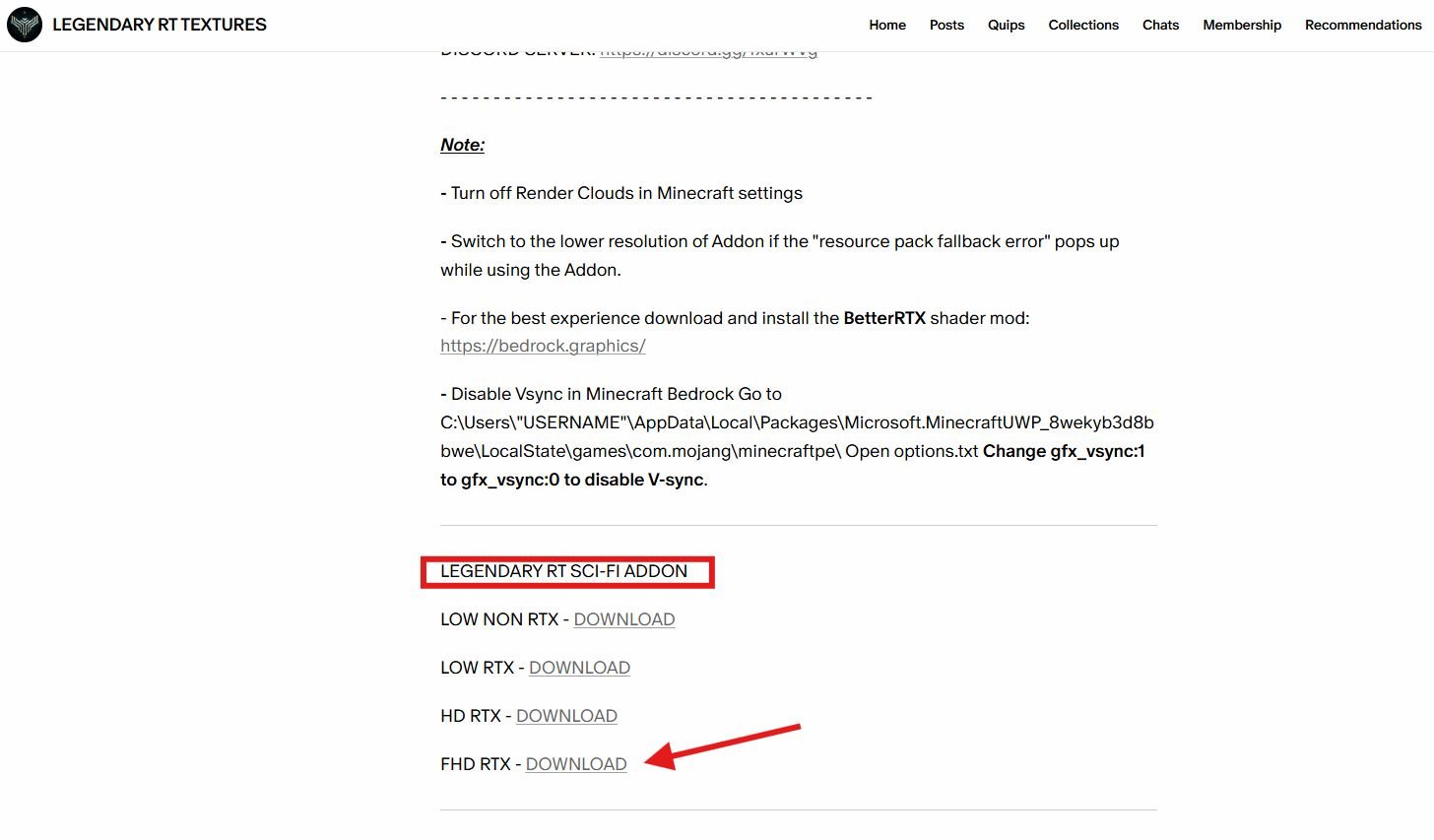
- On the SCI-FI Addon Patreon post, choose the .mcaddon for your device: LOW NON RTX for non-RTX graphics, or LOW RTX, HD RTX or FHD RTX for supported RTX devices. Check Minecraft Bedrock compatibility before downloading.
Open SCI-FI Addon download post on Patreon ↗

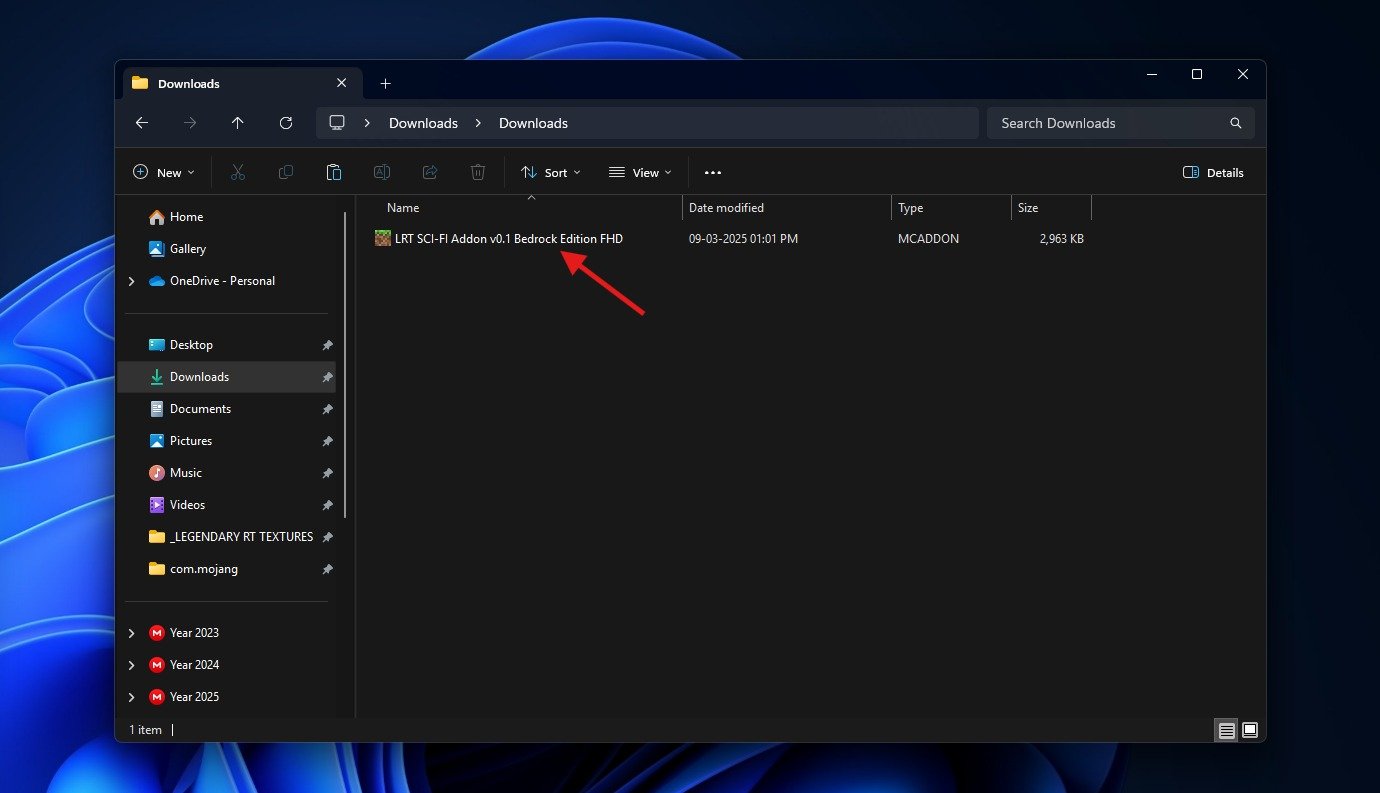
- Run the downloaded .mcaddon file. This will automatically open Minecraft and install the addon.

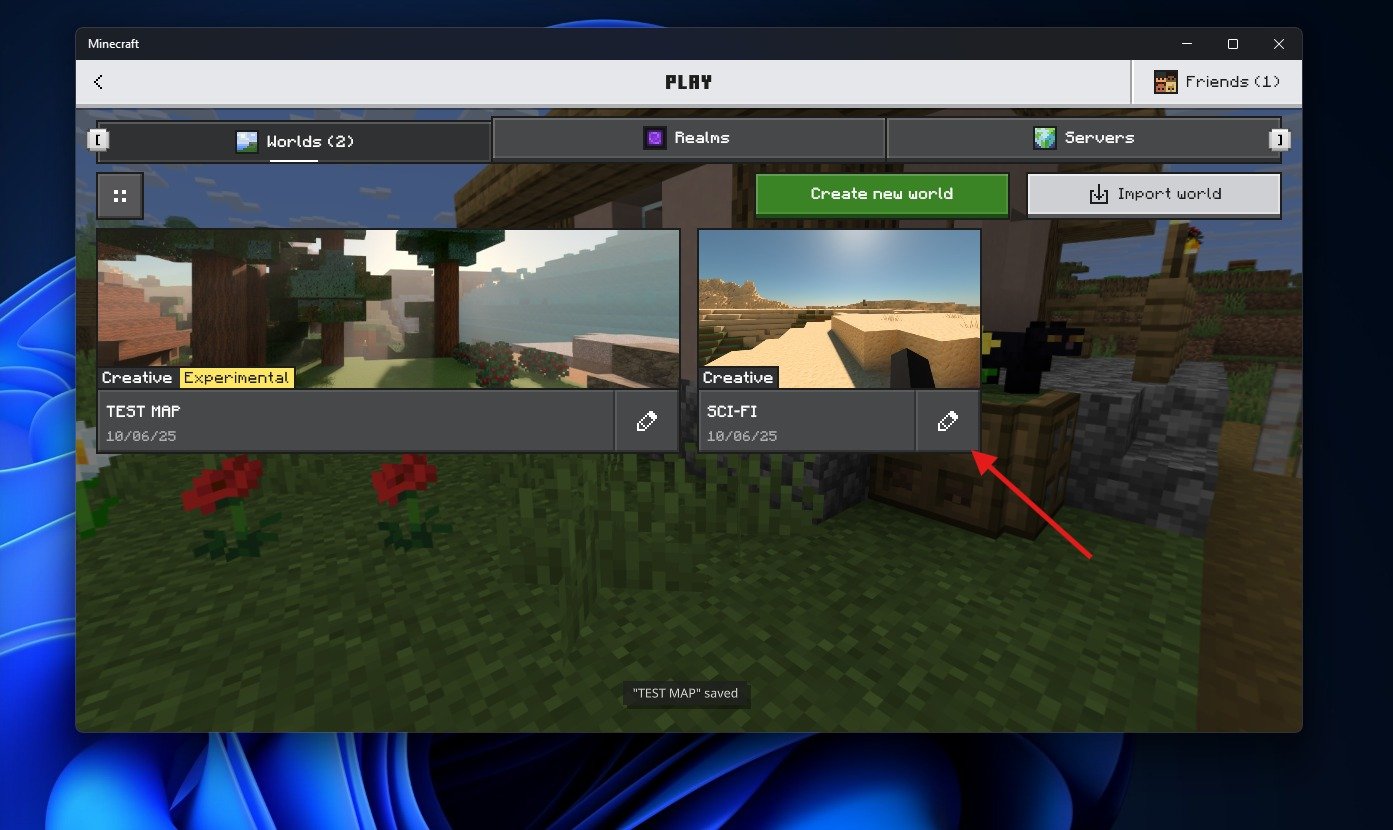
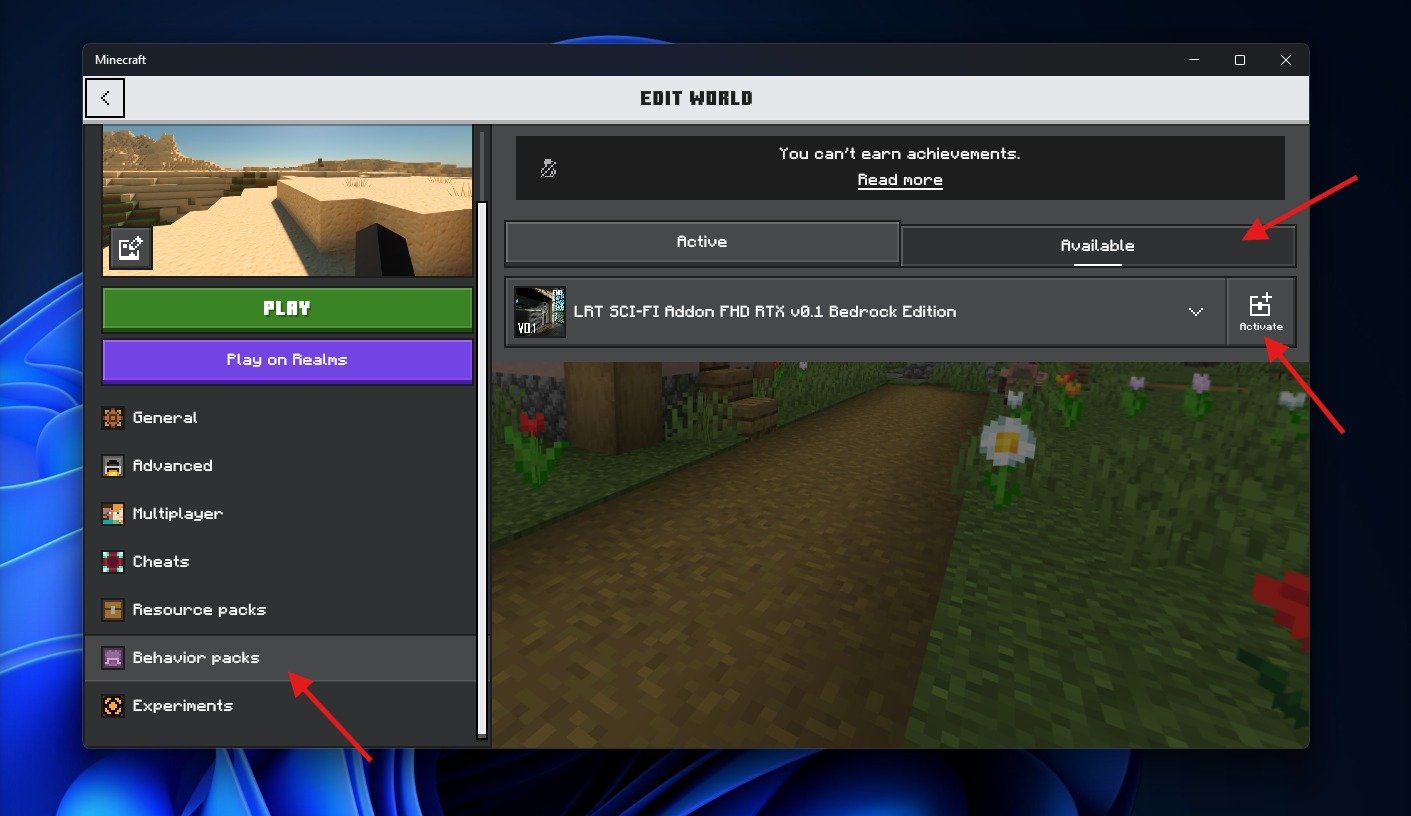
- Click "Play" in Minecraft, then edit an existing world or create a new one. Go to Resource Packs and activate the SCI-FI addon, and similarly go to Behavior Packs and activate the addon.


- Start the world and enjoy the SCI-FI addon features!



Dive into your Minecraft world and experience the enhanced visuals and gameplay with the LRT SCI-FI Addon!