PBR materials
Material textures add surface detail and define how supported blocks respond to lighting. Effects vary by rendering settings and Minecraft version.
Give Minecraft Bedrock richer surfaces with Legendary Bedrock PBR, designed for Vibrant Visuals on supported devices. Materials respond to the game’s lighting and environmental effects without requiring the Windows RTX rendering mode. Try the free Low pack or choose HD/FHD textures and optional addons with Bedrock membership.
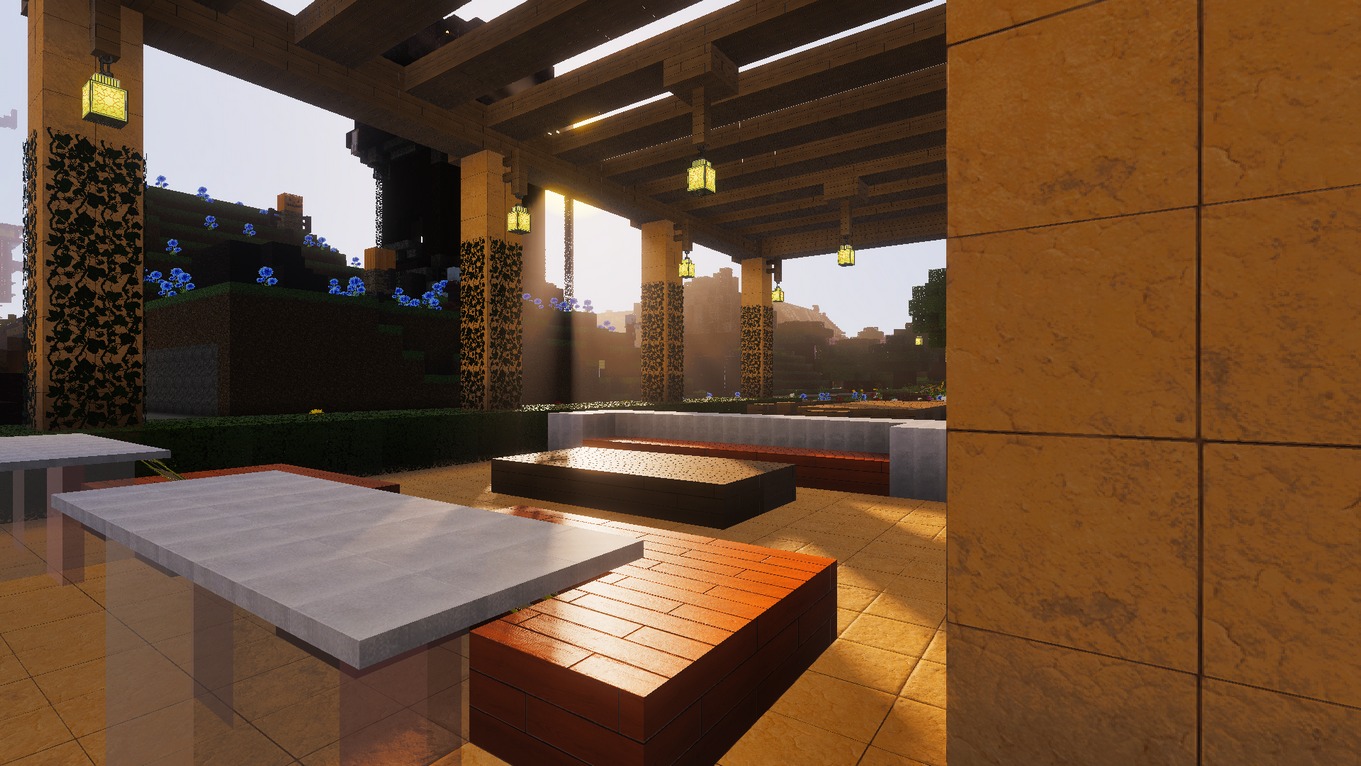

Legendary Bedrock PBR enhances supported Minecraft Bedrock surfaces using material maps designed for the Vibrant Visuals graphics mode. Results depend on your device, game version and graphics settings.
The free Low pack is the simplest starting point. Bedrock membership unlocks HD/FHD options and optional packs for visuals, mobs and items, and modern paintings.
Material textures add surface detail and define how supported blocks respond to lighting. Effects vary by rendering settings and Minecraft version.
Works with Minecraft Bedrock’s built-in Vibrant Visuals graphics mode on compatible hardware. This is separate from the Windows ray-tracing mode.
Environment-related changes are part of the pack; the Enhanced Visuals addon provides additional optional visual adjustments.
Try the free Low base pack, or access HD/FHD editions and three optional addons as a member. Higher resolutions can require more device memory.
Vibrant Visuals must be available on your device and Minecraft version to see the intended material effects. Official device compatibility ↗
02 / Gallery
Explore Minecraft Bedrock images showing PBR materials and world details with supported visual settings.
Select an image to enlarge · ← → to browse
03 / Choose your download
Try the free Low pack. HD/FHD textures and three optional addons are available to Bedrock members.
 Get started free
A free lower-resolution version of the Bedrock PBR base pack. A good starting point for trying the material look with Vibrant Visuals on a compatible device.
 Premium pack
Higher-resolution base pack options available to members. Choose HD or FHD based on your device’s resources; the three optional addons are listed below.
Member downloads: Sign in to Patreon to access files included with your membership.
Choose only the extras you want. These 3 addons are available with the appropriate Patreon membership.
 MEMBER ADD-ON
Optional changes to fog, water and environmental presentation for a different Vibrant Visuals look.
 MEMBER ADD-ON
Adds alternate texture details for supported Minecraft mobs and items.
 MEMBER ADD-ON
Replaces selected vanilla paintings with modern-style artwork.
Check whether Vibrant Visuals is supported on your device before choosing a pack resolution.
04 INSTALLATION
Follow these steps, then choose a detailed guide for your setup below.
Choose the Low, HD or FHD .mcpack for your Minecraft version and device.
Open the .mcpack with Minecraft Bedrock and wait for the import to finish.
Enable it under Settings → Global Resources or your world’s Resource Packs. Add optional packs above the base pack.
On a supported device, open Settings → Video → Graphics Mode and select Vibrant Visuals.
Follow the free installation guide or member installation guide.
These names refer to the available texture-resolution tiers, not different graphics engines. Low is free; HD and FHD are member options with higher-resolution assets. Higher resolutions typically use more storage and device memory. Try Low first if you are uncertain what your device can handle.
The three optional addons are Enhanced Visuals, Mobs & Items, and Modern Paintings. They provide additional visual or texture changes beyond the base pack and are available through member access. Activate any addon alongside the base pack according to its installation instructions.
Check that the PBR base pack is active and Minecraft’s Vibrant Visualsmode is enabled. Appearance depends on your Minecraft version, device, graphics preset and selected addons.
Use the official Discord server or email admin@legendaryrttextures.com. Include your device, Minecraft version, pack version and a screenshot if possible.
The Low base pack is free. The HD/FHD base editions and three optional addons are available through a membership. Access may depend on the plan you choose.
Try the Low texture edition, reduce render distance, close demanding background applications and use Minecraft’s Favor Performance graphics preset if available. Experiment with individual Vibrant Visuals options. Disabling V-Sync or editing hidden game files is not generally necessary to begin troubleshooting. Official graphics settings help ↗
The essential requirement is a Minecraft Bedrock device compatible with Vibrant Visuals, not a specific desktop CPU or VRAM figure for every platform. Minecraft lists supported Windows (DirectX 12), Android and iOS hardware and compatible consoles. Texture resolution and scene complexity affect memory and performance. Check official device requirements ↗
Vibrant Visuals is supported by some mobile devices and consoles as well as compatible PCs. That does not mean every device can import an externally downloaded .mcpack. Mobile installation methods vary; consoles can have additional restrictions on third-party file imports. Check your device and the relevant installation instructions before purchasing membership.
You can show the pack in gameplay screenshots, videos or streams. Please credit Legendary RT Textures and link to the official project page. Do not re-upload or redistribute the pack files.
No matching questions. Try a different term, or ask in Discord.
06 Contact & support
Questions about Vibrant Visuals, supported devices, addons or membership? Use the official support channels.
Setup, device support, pack compatibility and release discussions.
Join the Discord server ↗Billing, subscriptions, partnerships and questions best handled by email.
admin@legendaryrttextures.com ↗For billing help, include the email associated with your purchase. Never share passwords or payment-card details.
Send this message to our support inbox. For other contact options, see our contact page ↗.